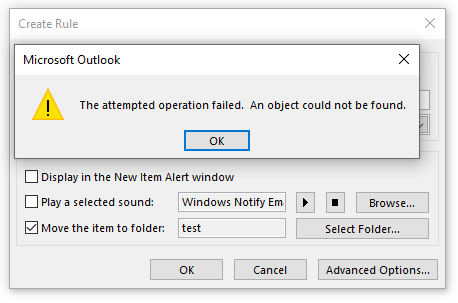
Issue: Can’t create “move to folder” rule within shared mailbox
Microsoft Outlook
The attempted operation failed. An object could not be found.
Reason: Shared Mailbox pinned to outlook automatically due to delegations
Solution: Add Shared Mailbox manually
- In Outlook go to the File > Account settings
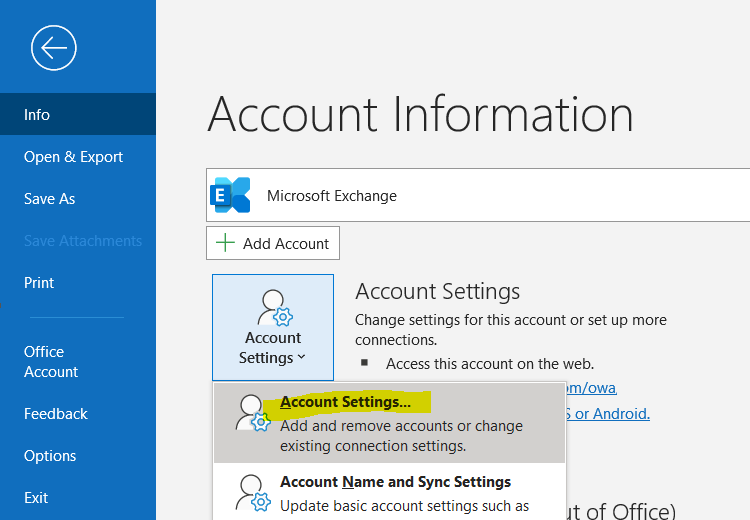
- Add Shared Mailbox with current user account credentials
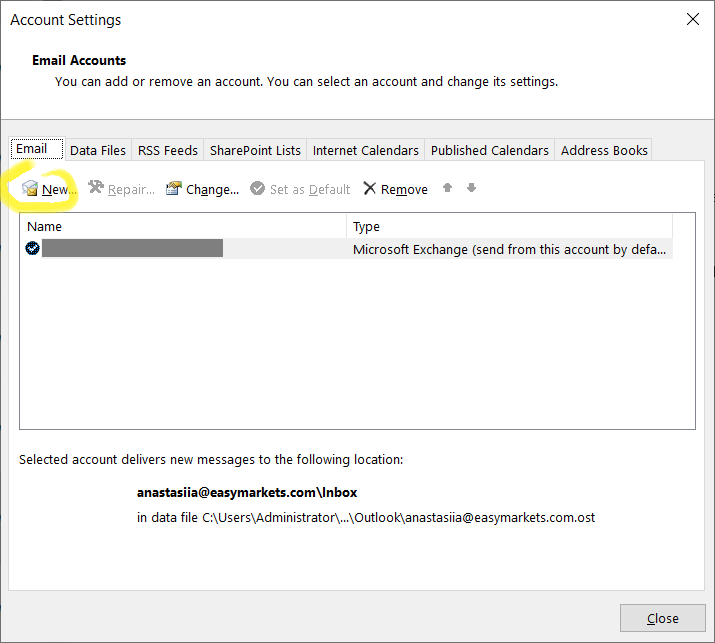
- Done. Give some time to download mailbox and recreate the rule.
 Sysadmin Diary